Signify
A secure digital document signing platform for uploading PDFs, placing signature fields, and sending them to recipients for approval. It streamlines the full signing lifecycle with email invitations, recipient verification, activity tracking, and final PDF export.
Core Objectives
Authentication & Signature Setup
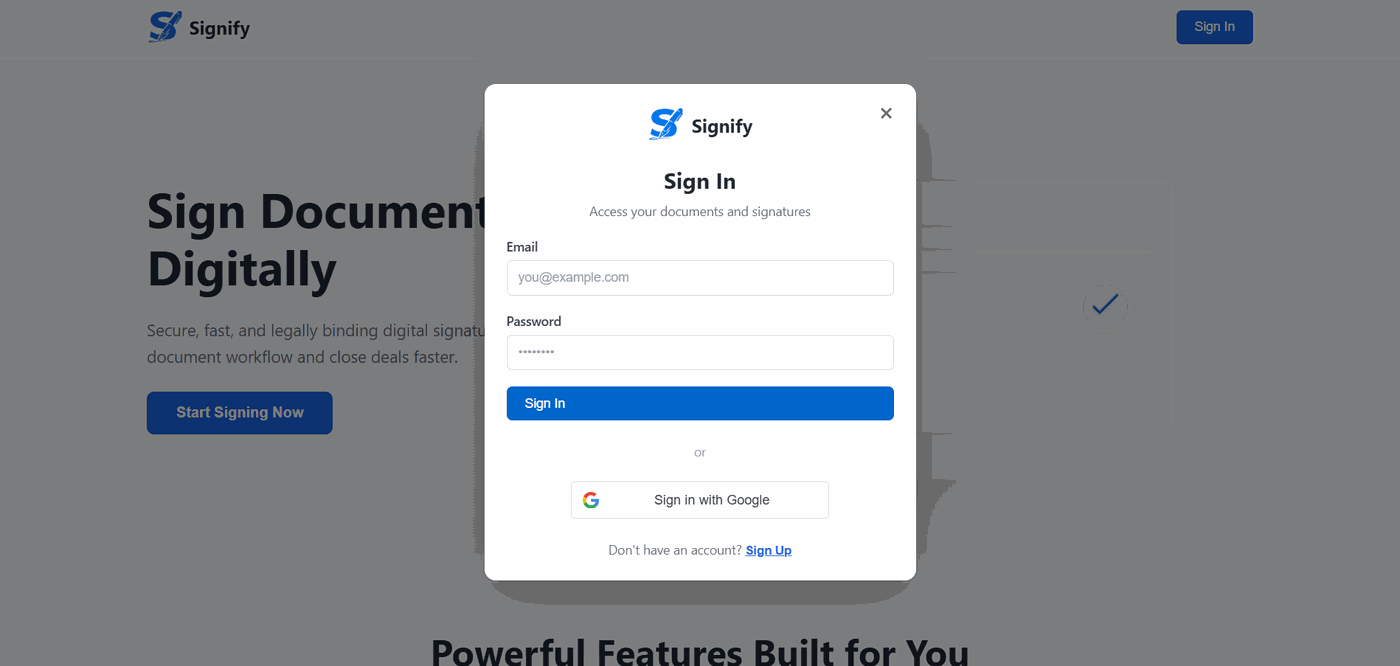
Email/Password Login
Users can register and log in through secure backend authentication backed by hashed passwords and JWT sessions.
Google OAuth Login
The app supports Google sign-in for faster onboarding and account creation.
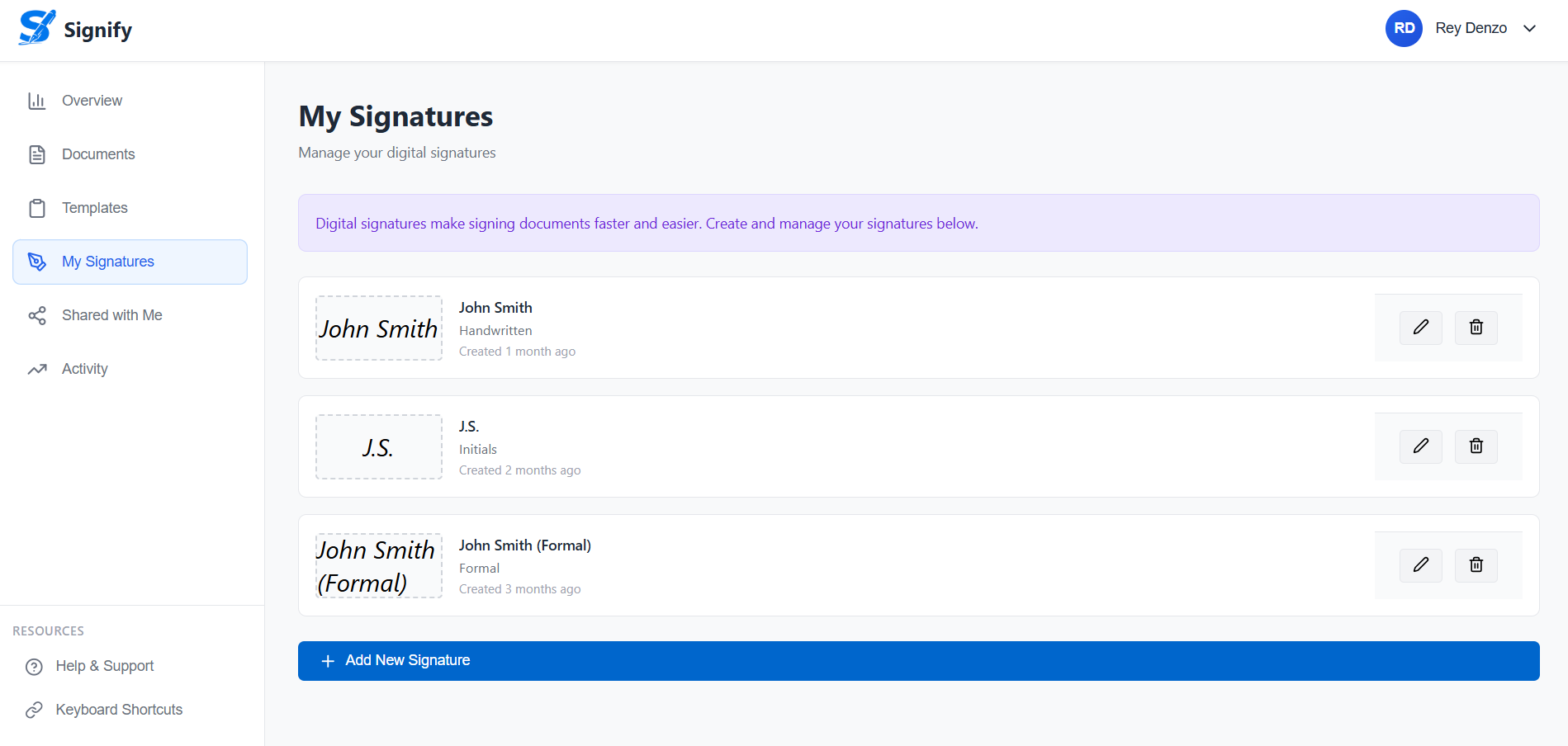
Signature Onboarding
First-time users are prompted to create a reusable signature profile before entering the app.
Premade or Drawn Signatures
Users can either generate a name-based signature or draw one manually and save it to their profile.
Dashboard & Document Preparation
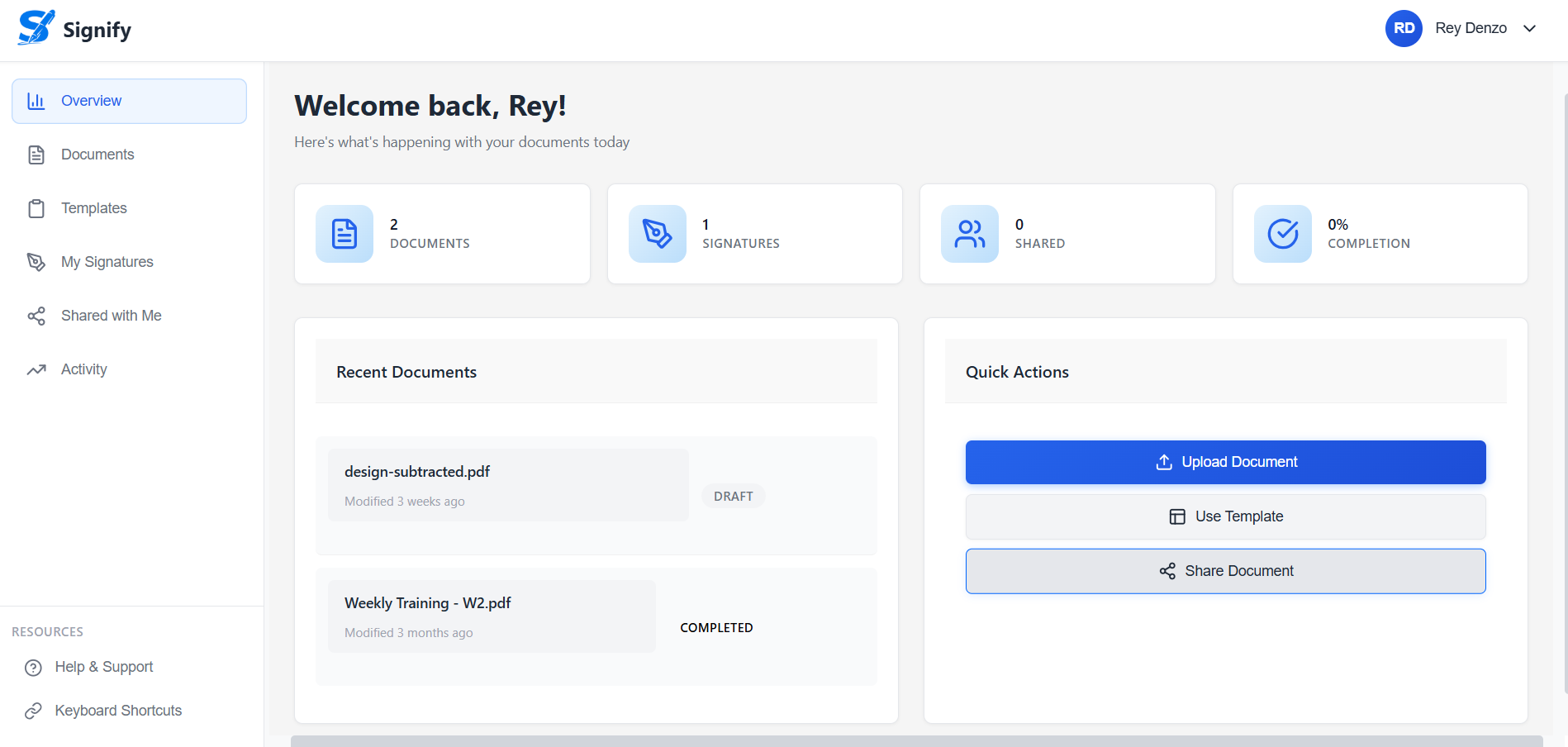
Overview Metrics
The dashboard shows document counts, signature counts, shared documents, and completion rate pulled from backend overview endpoints.
Recent Document Management
Users can review recent files, inspect status, and jump back into editing or signing workflows.
Document Upload
PDFs are uploaded from the browser, converted to base64, and stored with file metadata for later editing and export.
Field Placement Editor
The document viewer supports drag, drop, move, and resize interactions for placing signature fields directly on the PDF.
Recipient Assignment
Users can assign recipient fields and save the field layout to the backend for persistent signing workflows.
Publishing, Recipient Access, and Signing
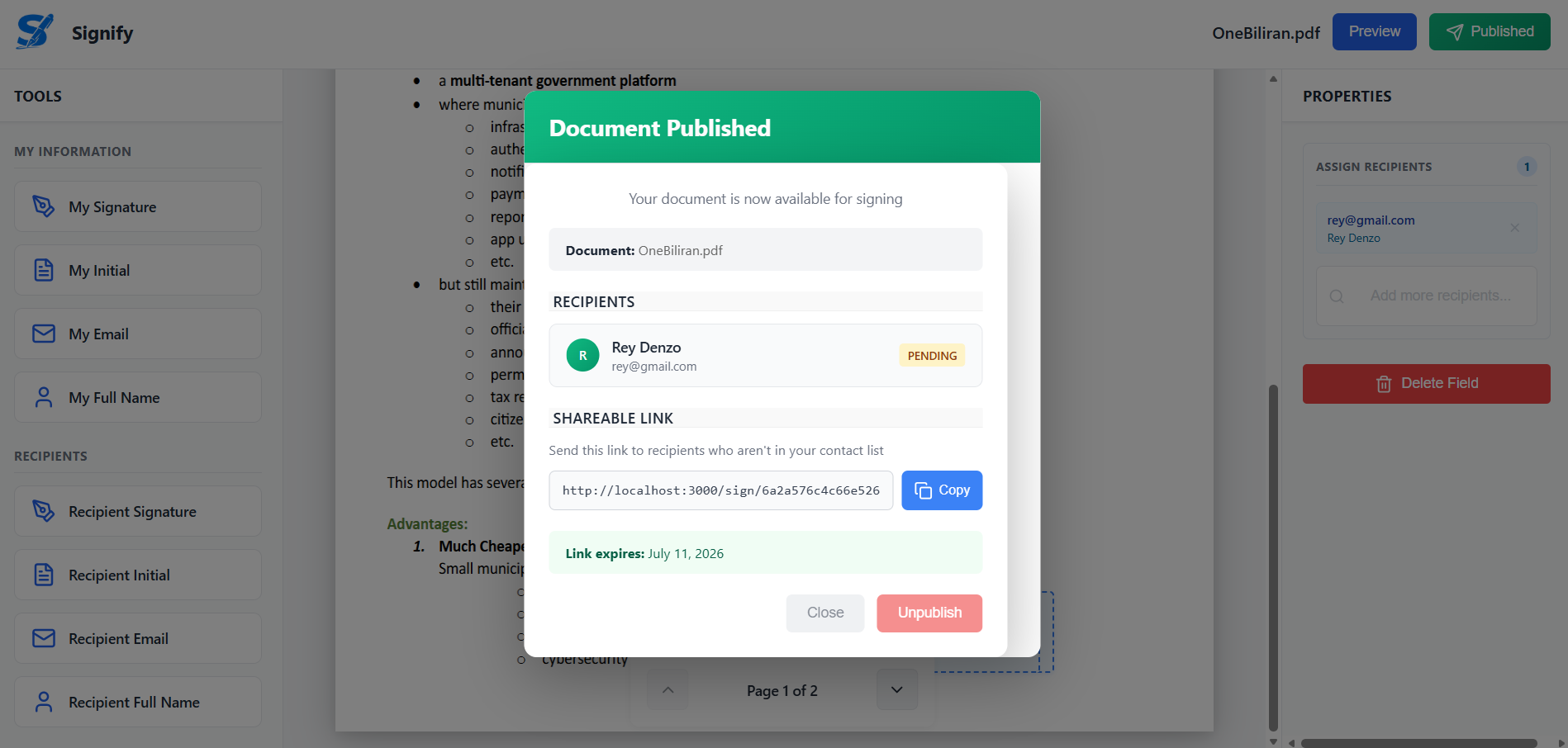
Publish Workflow
Documents can be published to selected recipients with an expiration window and unique publish link.
Invitation Emails
The backend sends signing invitations with a direct link to each recipient using Nodemailer.
Public Recipient Access
Recipients can open a published document without a normal login and verify access through their invited email.
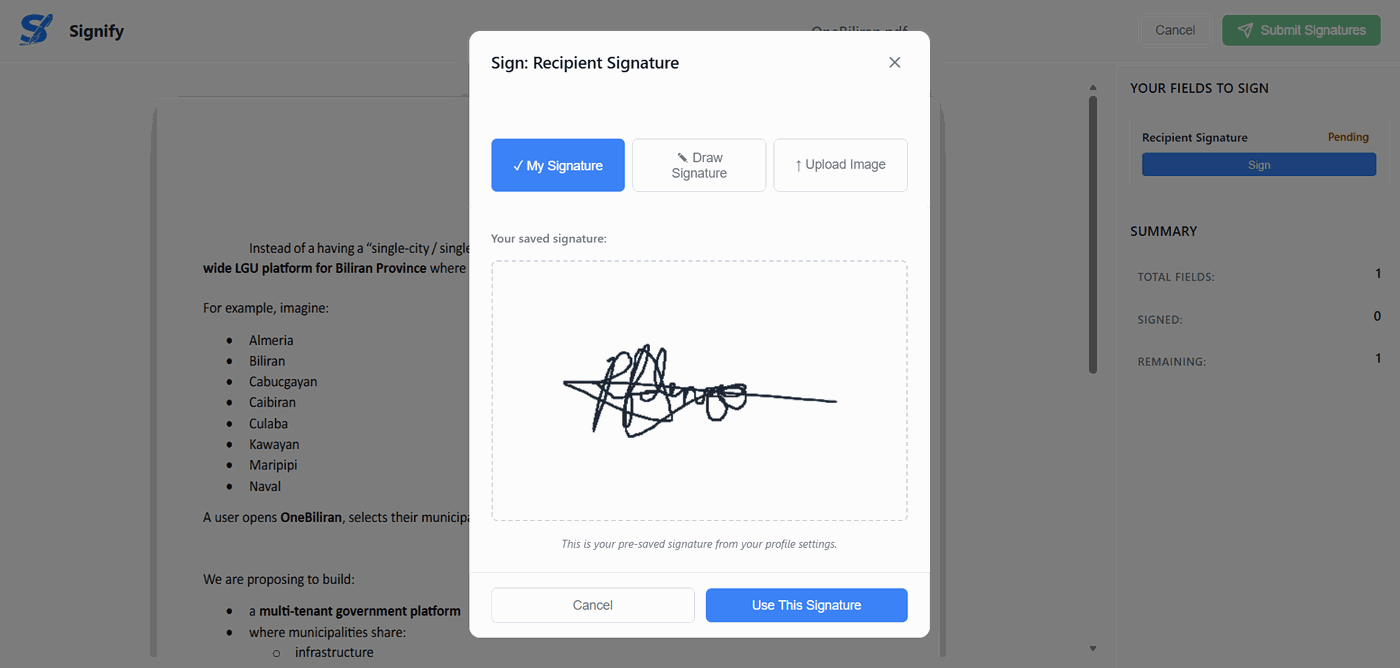
Signature Capture
Each recipient signs only the fields assigned to them, with the UI showing remaining fields and progress.
Final Completion
Once all recipients sign, the backend marks the document completed and supports export of the finalized PDF.
Architecture & Processing Flow
1. User registers or logs in with email/password or Google OAuth and receives a JWT
session.
2. The dashboard loads overview stats, recent documents, and activity using authenticated
API requests.
3. A PDF is uploaded, rendered in the browser, and annotated with draggable signature or
text fields.
4. The field layout is saved to MongoDB along with recipient assignments and document
metadata.
5. Publishing generates a unique publish link, creates recipient tokens, stores expiry data,
and sends invitation emails.
6. Recipients verify access, capture signatures, submit them to the backend, and the system
marks the document completed and exports the signed PDF.
The backend is organized around a few purpose-built MongoDB collections instead of one
oversized document record. Document, DocumentRecipients,
DocumentTool, Signature, and Activity separate file
storage, signer state, field layout, reusable signatures, and audit history, which keeps the
workflow flexible and easier to query. There is also a legacy DocumentTools
model for backward compatibility, showing the app was evolved carefully rather than
rewritten from scratch.
A particularly strong architectural choice is the dual-path signing model. Authenticated
users sign through JWT-protected routes, while published documents support public access
through a publishLink plus recipient-specific verification, which matches
real-world signing flows. The PDF rendering pipeline also does real work on coordinates and
file formats: the frontend stores layout positions in browser coordinates, the backend
converts them into PDF coordinates with pdf-lib, and signature images are
embedded directly into the final document output.
Project Impact
Signify streamlines the document signing lifecycle by replacing fragmented email-and-print workflows with a structured, browser-based platform. From upload to final export, every step of the process is managed in one place, making it faster for document owners to prepare, distribute, and collect signed agreements.
For recipients, the dual-path signing model removes onboarding friction entirely. Authenticated users sign through their dashboard, while external recipients access documents via unique publish links and email verification, mirroring real-world signing flows where not every signer has an account.
Ultimately, Signify closes the loop between preparation and completion. Activity tracking, recipient progress visibility, and finalized PDF export ensure that document owners always know where a signing stands and can retrieve a fully assembled output the moment all parties have signed.