GitHub Explorer
GitHub Explorer is a lightweight GitHub profile intelligence app that turns a username into an instant report card. It helps users quickly assess a developer’s footprint with profile stats, top repositories, and language breakdowns, all without a backend.
Core Objectives
Welcome, Search, and Entry
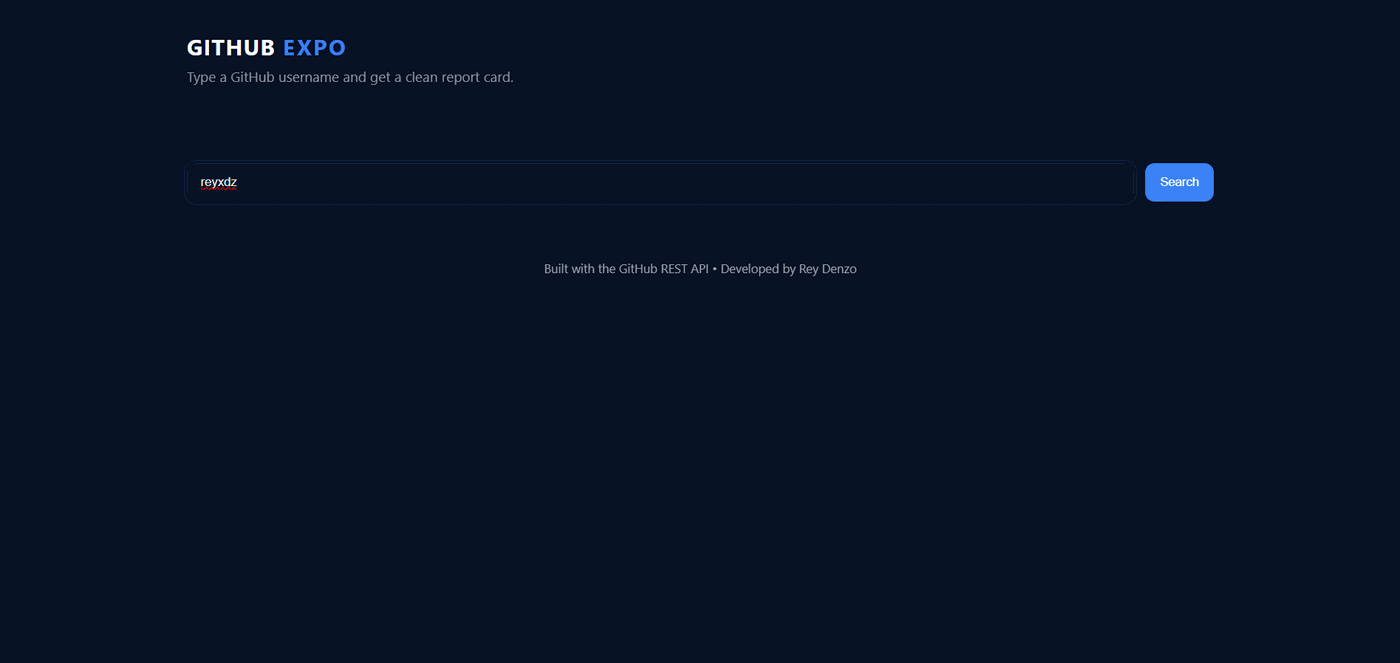
Welcome Modal
Introduces the app’s purpose, explains the available insights, and sets expectations about API rate limits.
Username Search
Lets the user enter any GitHub username and submit it through a simple search form.
Input Validation
Prevents empty searches and surfaces clear feedback if the user submits invalid input.
Loading Feedback
Shows a spinner and status state while the app is fetching remote data.
Profile Report Card
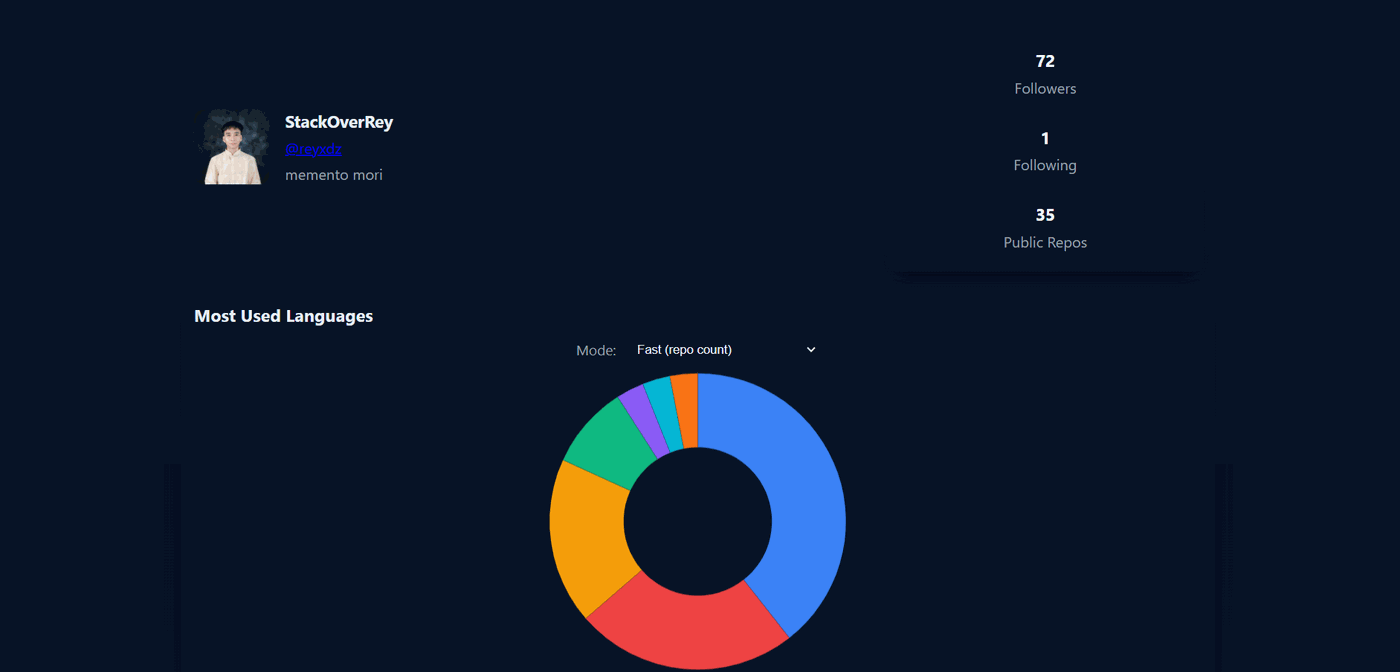
Profile Header
Renders the user’s avatar, display name, GitHub handle, profile link, and bio in a compact hero panel.
Core Stats
Shows followers, following, and public repository counts as quick-read metrics.
Top Repositories
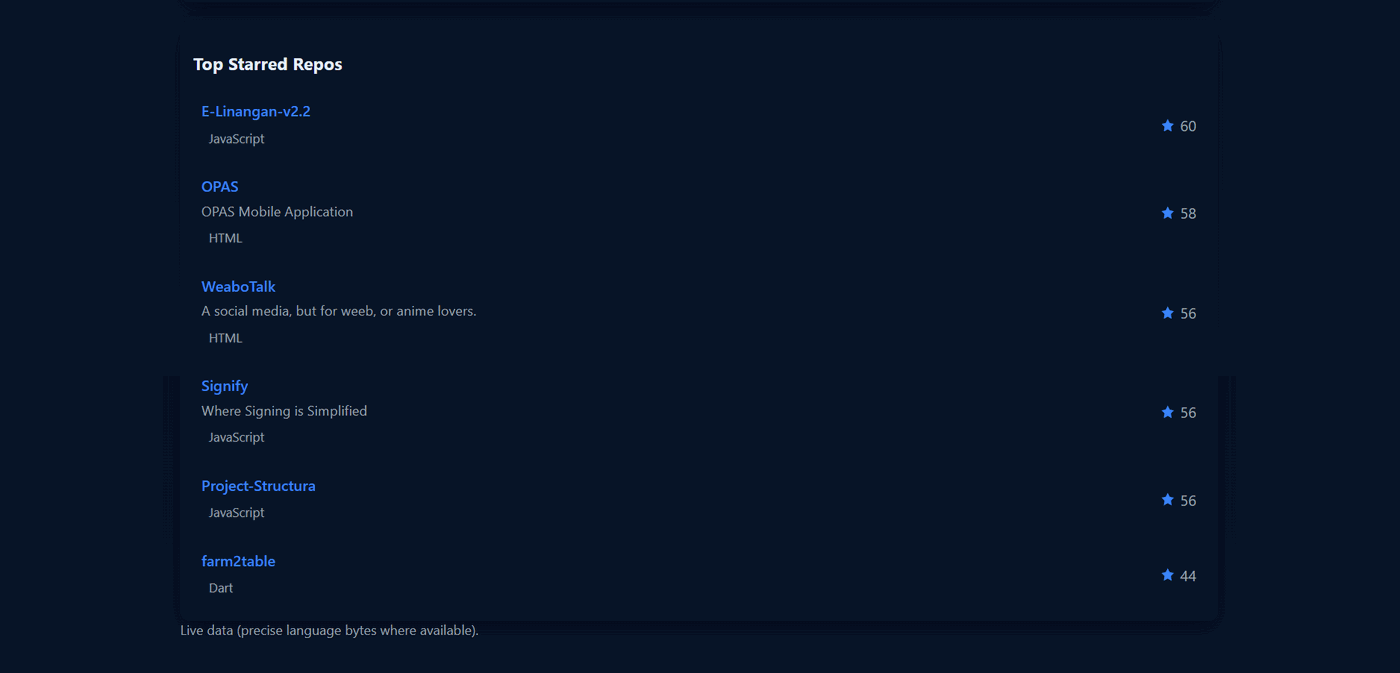
Sorts repositories by stars and lists the top six with names, descriptions, language tags, and star counts.
Source Note
Tells the user whether the report came from live API data or from cache.
Language Analysis and Performance Flow
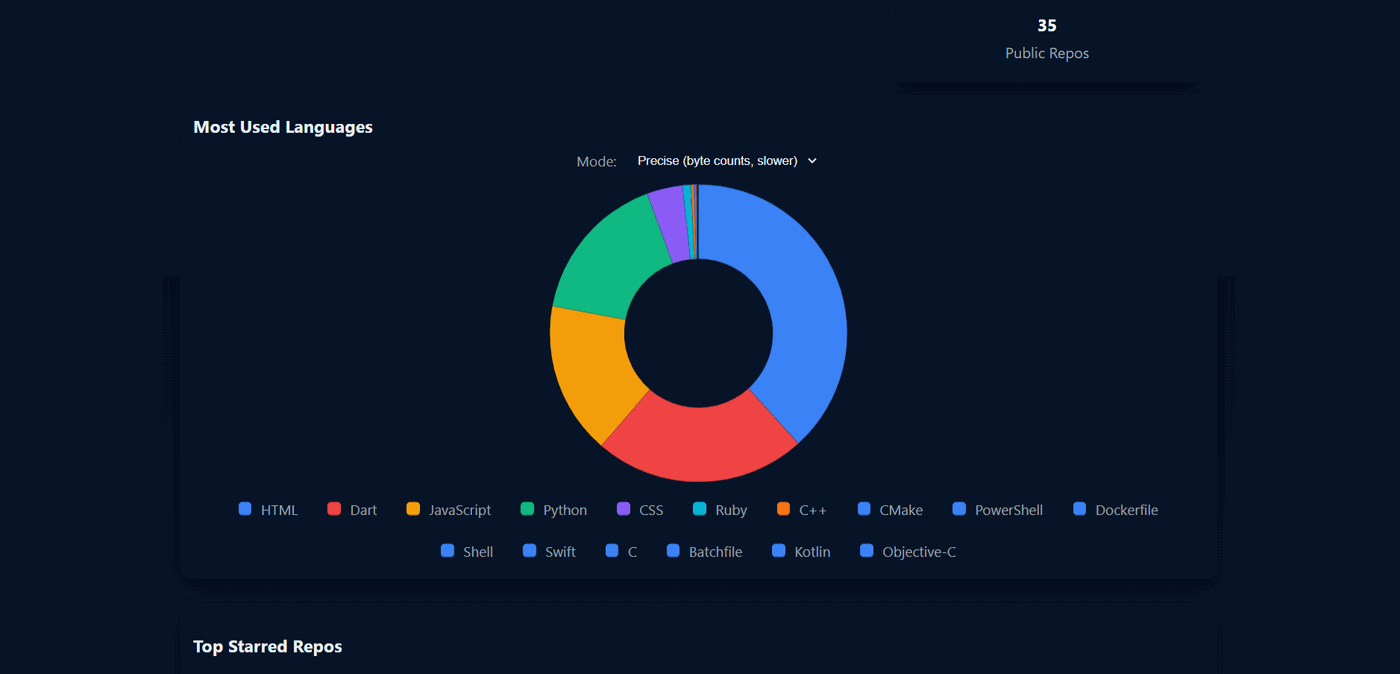
Fast Mode
Aggregates languages by each repository’s primary language field for a
quick, low-cost summary.
Precise Mode
Calls /languages on the top starred repos to compute byte-level language
distribution for better accuracy.
Confirmation Prompt
Warns users before switching to the more API-expensive precise mode and supports remembering that choice per user.
Cached Recompute
Reuses the last fetched profile and repository set to recalculate the chart without refetching everything.
Architecture & Processing Flow
1. User enters a GitHub username and submits the search form.
2. The app clears old error/report state and shows a loading indicator.
3. It checks localStorage for a fresh cached report keyed to that
username.
4. If cache exists, it renders the profile, stats, repos, and chart immediately.
5. If cache is missing or expired, it fetches the profile and paginated repositories from
the GitHub REST API.
6. It aggregates language data in fast or precise mode, renders the report, and stores the
combined payload back in cache.
The architecture is intentionally simple and client-driven: one main script owns DOM
references, app state, caching, and rendering. Instead of using a framework or backend
service, it relies on a small set of state variables (lastUser,
lastRepos, lastUsername) plus namespaced localStorage
keys for cached reports and per-user preferences. That makes the app easy to reason about,
easy to deploy as a static site, and resilient to repeat searches.
A clever part of the implementation is the dual-mode language pipeline. Fast mode counts
repository primary languages for speed, while precise mode samples the
/languages endpoint for the most-starred repos to approximate byte-weighted
language share more accurately. The code also handles graceful degradation by falling back
to fast aggregation if precise calls fail, and it includes accessible modal behavior with
focus management and Escape-key support for better UX.
Project Impact
GitHub Explorer dramatically accelerates technical vetting by compressing vast amounts of GitHub developer data into instant, highly readable profile report cards. By cutting through the noise of raw API responses, it allows engineering managers and recruiters to assess a candidate's focus, popularity, and repository health in mere seconds.
The project stands as a testament to efficient, serverless architecture. By implementing intelligent browser-side caching and dynamic language-parsing heuristics directly off the GitHub REST API, it entirely removes the need for costly middleware infrastructure while remaining highly performant.
Ultimately, GitHub Explorer empowers the technical recruitment and open-source collaboration workflows. It brings absolute clarity to developer footprints, stripping away vanity metrics to surface the verifiable impact of a user's open-source contributions.